
Book smarter. Drive less.
VetSet Manager plans your routes as you book. It suggests the times that add the least driving, reorders the day in one tap, and gives the doctor and driver everything they need at every stop.
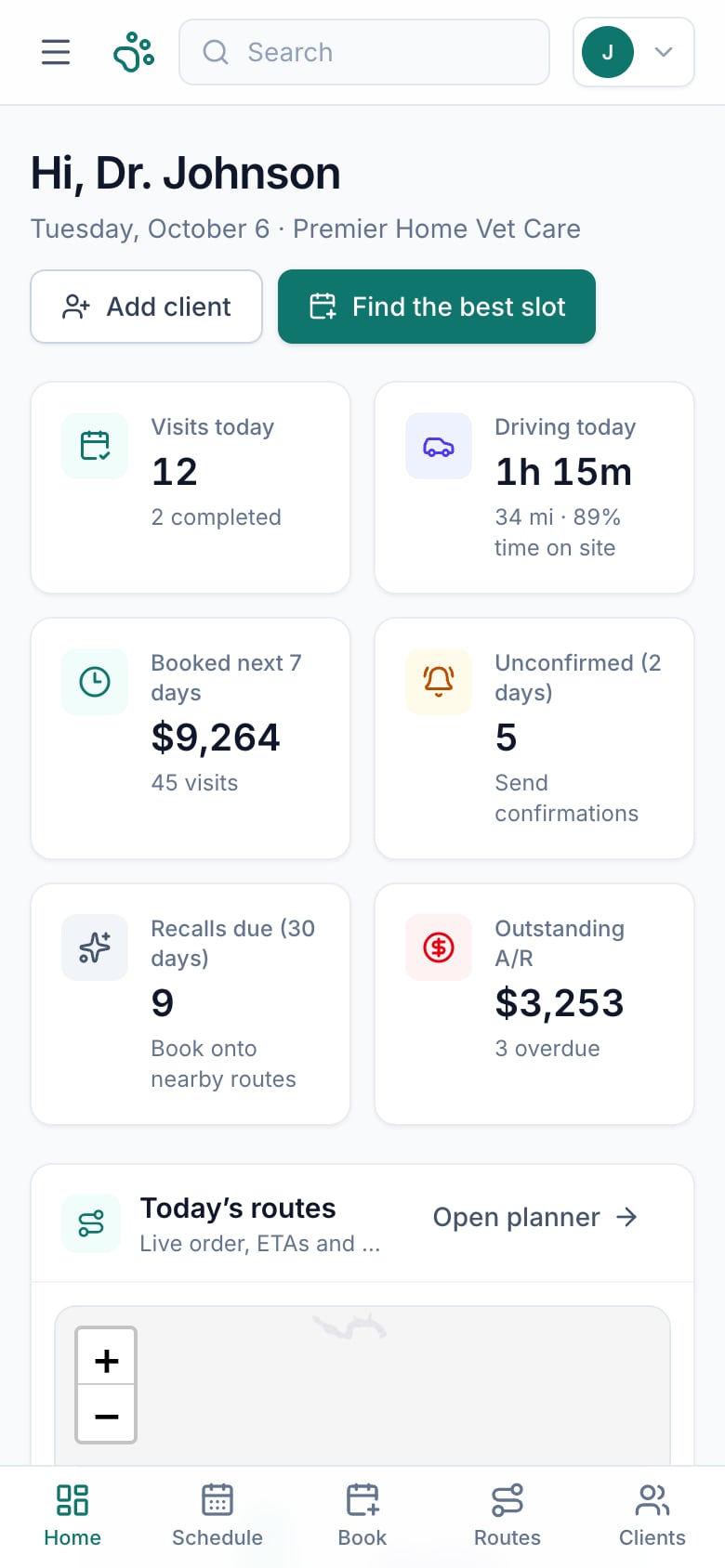
Every new booking reshapes the day.
Great care happens at the client’s door. Getting there on time — with the right details — is the hard part.
Drive time adds up
A booking that looks fine on the calendar can add a long detour to someone’s day.
Windows slip
One long visit pushes every later arrival — and clients find out when you’re already late.
Details live everywhere
Gate codes, pet handling notes and balances are spread across texts, notes and memory.
Follow-ups fall through
Annual care, confirmations and unpaid invoices depend on someone remembering.
From the phone call to the front door.
Book with the route in mind, tune the day, then hand the field team everything they need.
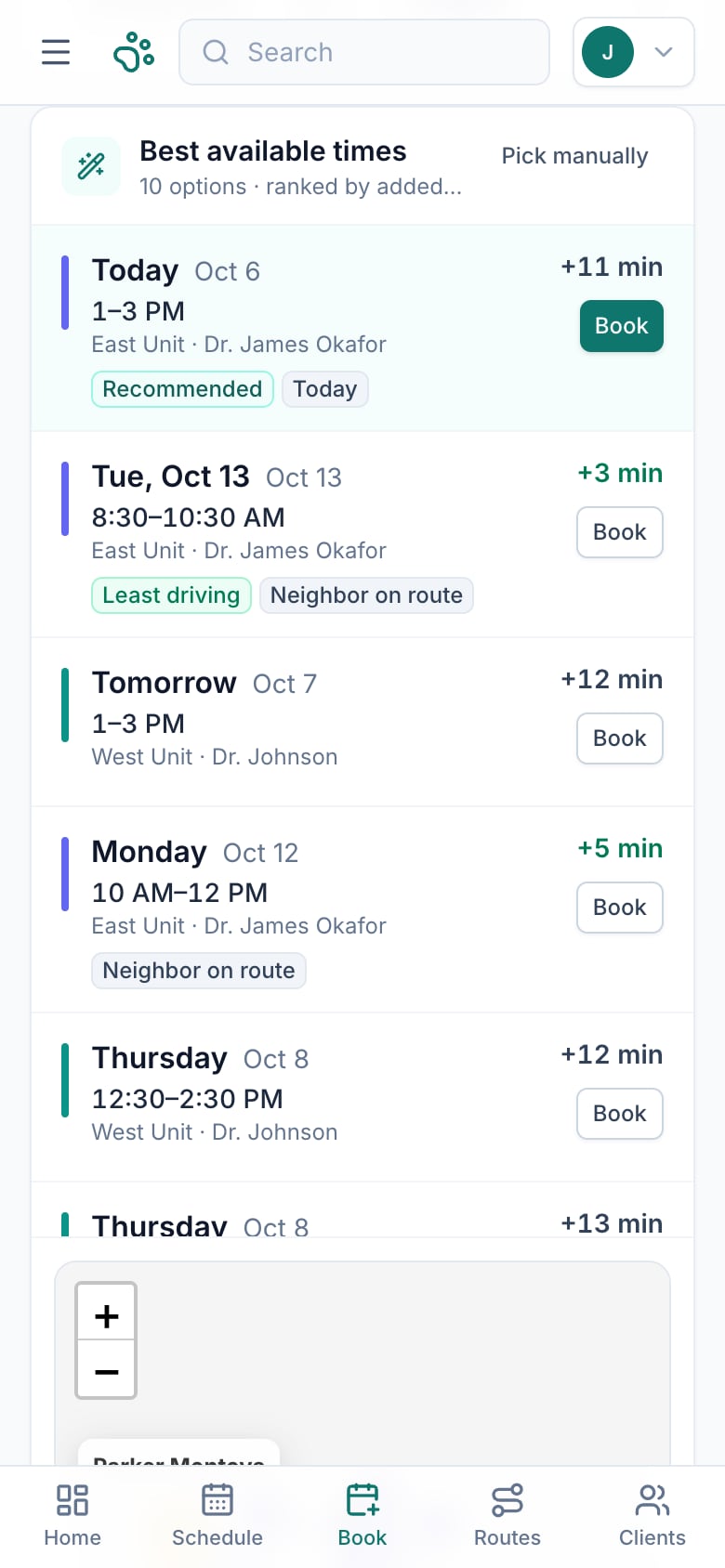
Book the best slot
Pick the client, pets and services. VetSet checks every unit’s route and ranks the times that add the least driving.
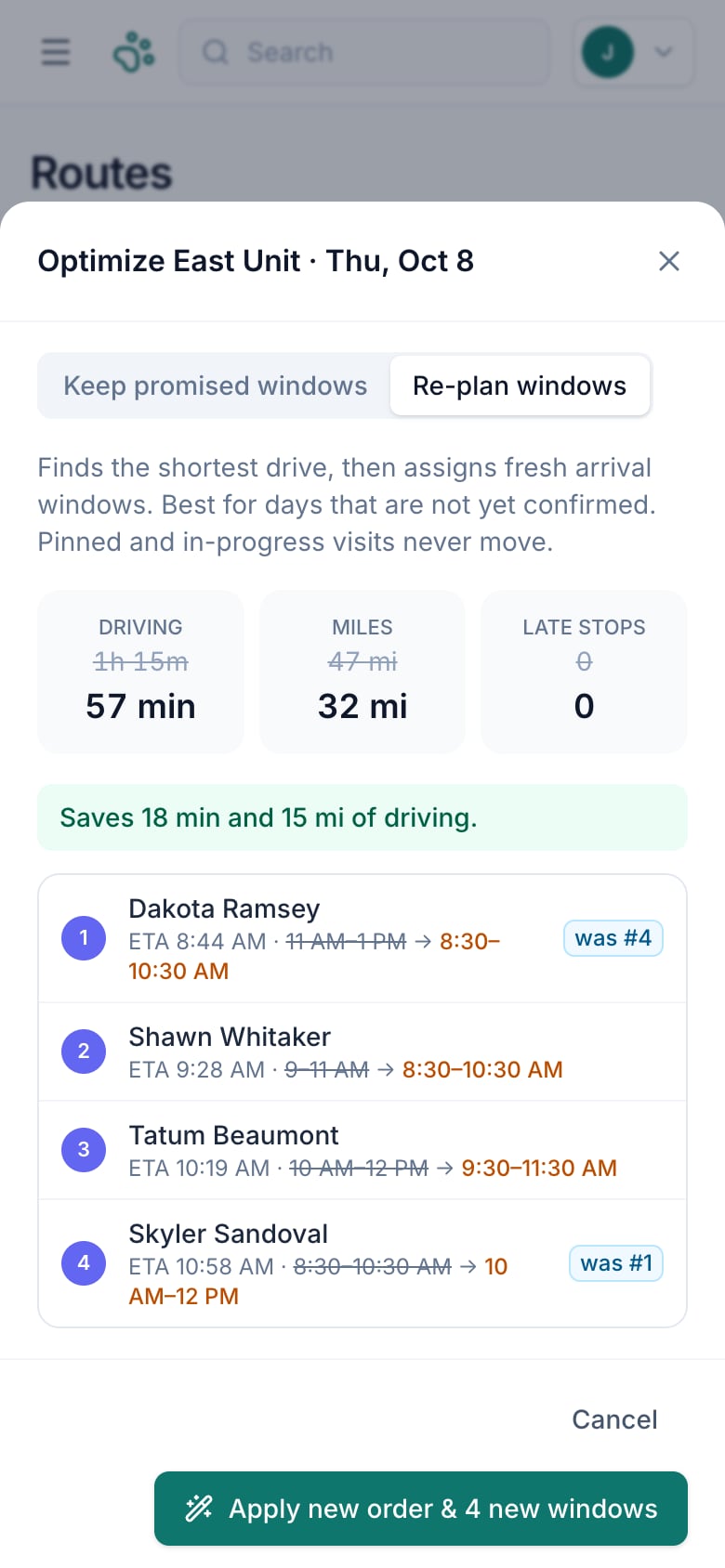
Optimize the day
Reorder stops in one tap, keep promised windows or re-plan them, and let clients know about any change.
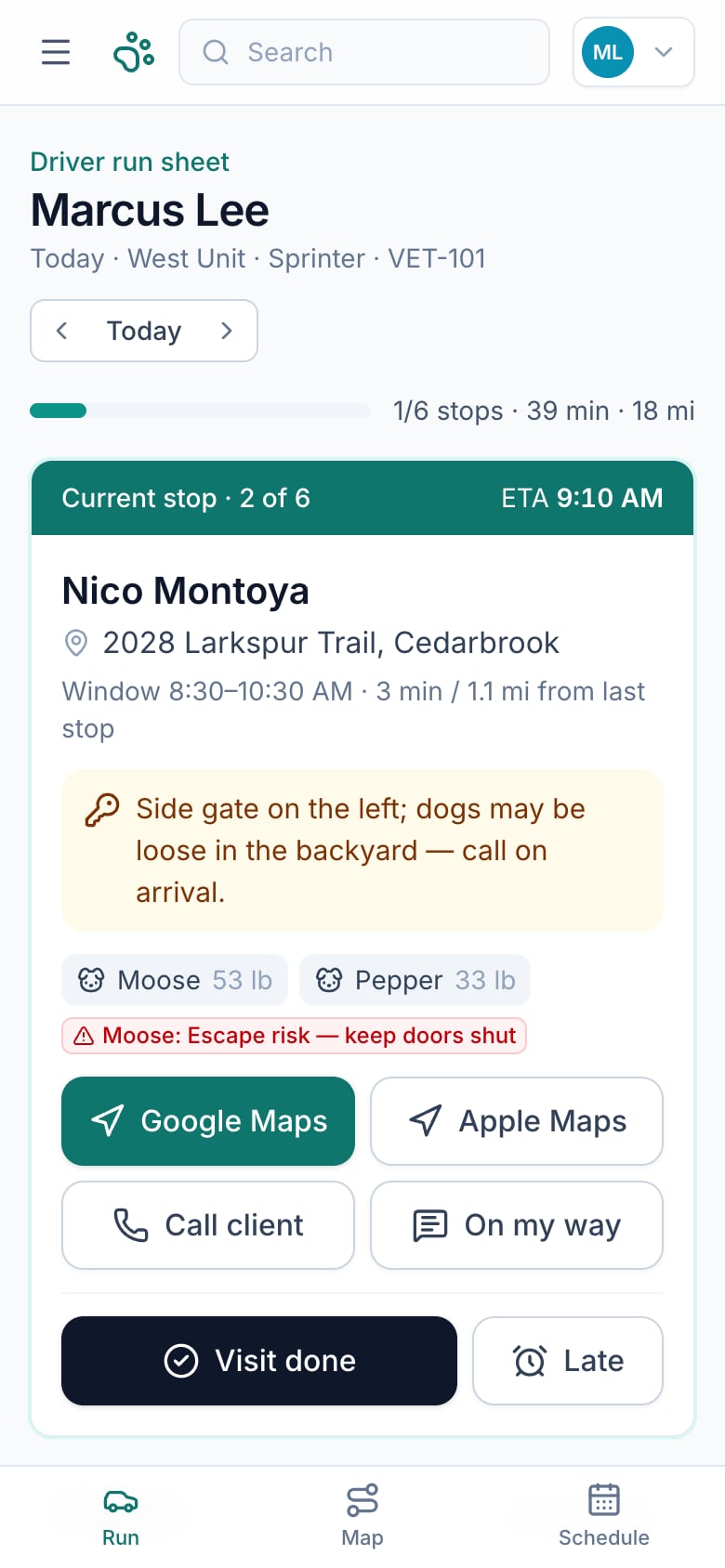
Run it in the field
Doctors and drivers each get a mobile view: next stop, gate code, pet alerts, visit details and one-tap navigation.
When a visit cancels, fill the gap. VetSet suggests the waitlisted clients who live closest to the open slot.
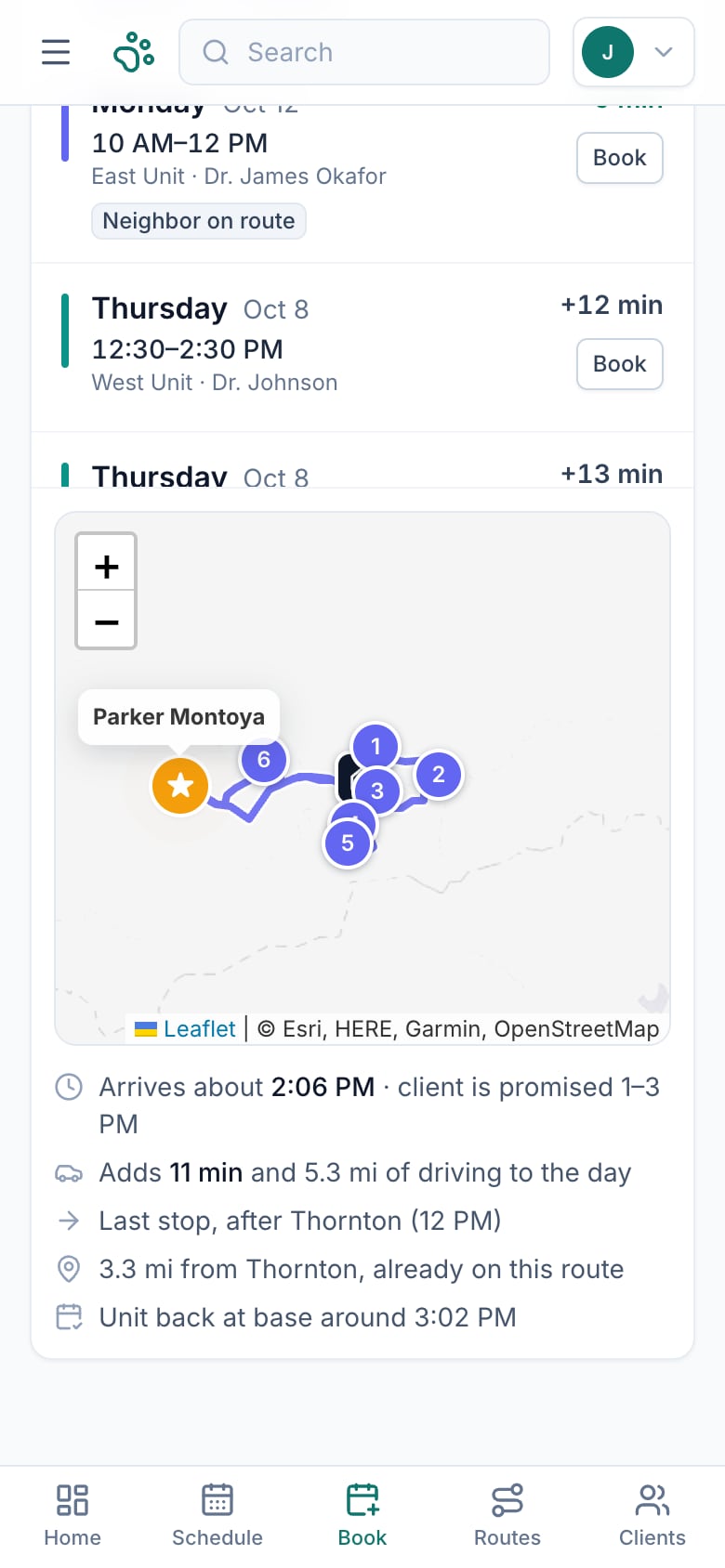
Every new visit, placed where it fits the route.
VetSet tries the visit in every open position on every unit’s route for the next two weeks, then ranks the options by added drive time — nudged sooner when it’s urgent.
- Honors morning or afternoon preferences and pinned times
- Won’t push an existing client past their arrival window
- Shows exactly where the stop lands on the map
Reorder the day in one tap.
Drive times come from the real road network. VetSet flags stops that will miss their window, shows the minutes and miles you’d save, and never moves pinned or in-progress visits.
- Keep promised windows or re-plan them
- Before-and-after drive time and miles
- Notify each client of a new window
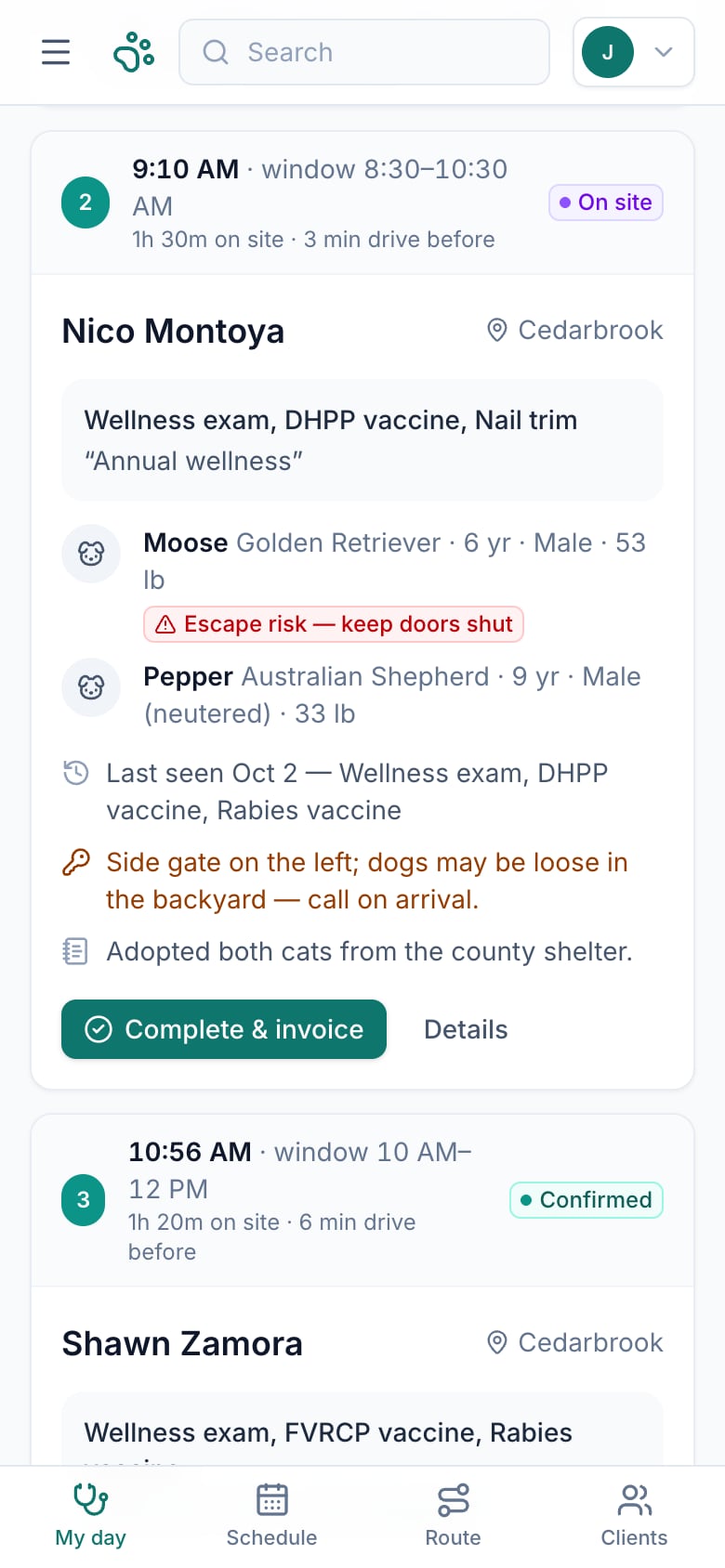
What the doctor needs, stop by stop.
Each visit shows the pets with breed, age and weight, handling alerts, the reason for the visit, when they were last seen, care that’s also due, and any open balance.
- Start and complete visits in one tap
- Invoice created automatically on completion
- Running-late notices for the rest of the day’s clients
Next stop, gate code, go.
A big next-stop card with the address, access notes and pet alerts, plus one-tap Google or Apple Maps navigation, a call button and an on-my-way text with the ETA.
- Arrival tracking the office can see
- Pre-trip vehicle checklist
- Mileage log from odometer readings
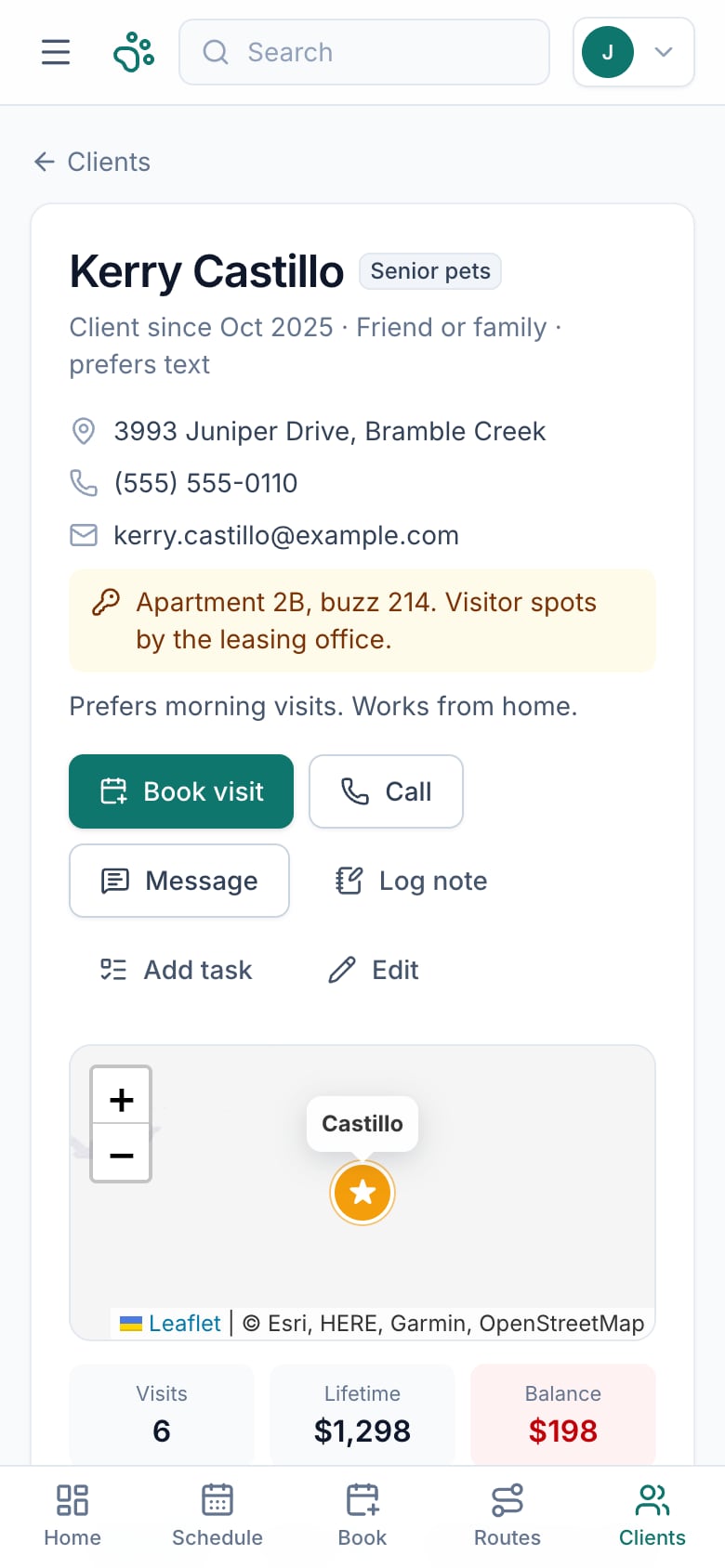
Every household, every pet, one place.
Contact details, access notes, pets with handling alerts, upcoming visits, messages and balances — with care reminders that roll forward automatically after each visit.
- Recall and confirmation queues
- Message templates with merge fields
- Waitlist with gap-fill suggestions
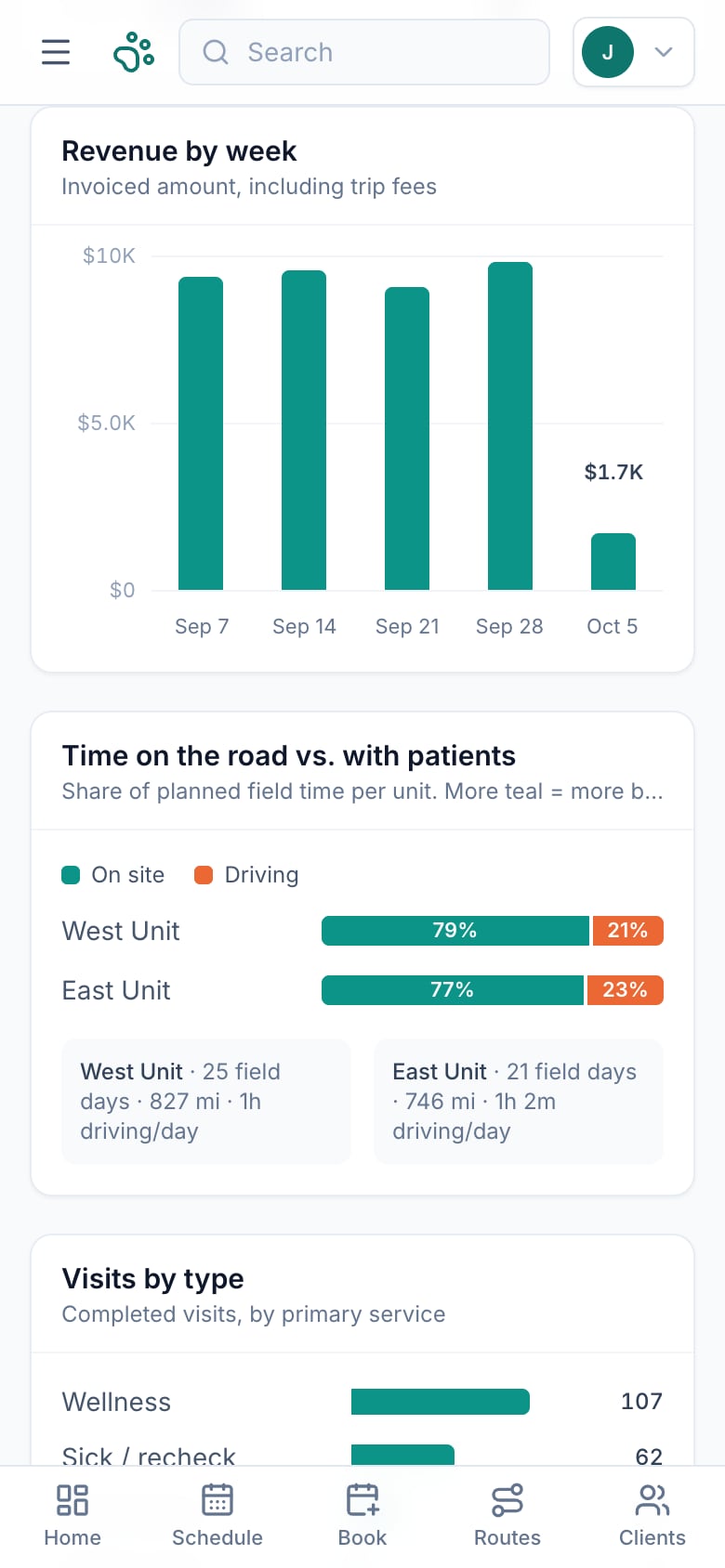
See how the practice is running.
Invoices with zone-based house-call fees, payment tracking and overdue follow-ups — plus reports on revenue, visits, time with patients versus time on the road, and where clients come from.
- Trip fee set by distance from the unit’s base
- Outstanding and overdue balances at a glance
- Revenue by week and by area
See it in action.
A walkthrough of VetSet Manager using a fictional sample practice, Premier Home Vet Care.
Built for the phone in your pocket.
Swipe or use the arrows, and tap any screen to enlarge.
And a full layout for the office.
One app for the whole mobile office.
Smart bookingOpen slots ranked by added drive time.
Route optimizationOne-tap reorder with time and miles saved.
Road drive timesETAs checked against promised windows.
Doctor day sheetPets, alerts, visit reasons and balances.
Driver run sheetNavigation, access notes, on-my-way texts.
ScheduleDay timeline, week grid and list views.
Clients & petsHouseholds, handling alerts and history.
Care recallsReminders that roll forward after each visit.
MessagesTemplates, confirmations and a message log.
WaitlistGap-fill suggestions by distance.
BillingInvoices, zone trip fees and payments.
ReportsRevenue, drive vs. on-site time, referrals.
Built for veterinary care that travels.
From one doctor with a driver to several vans on the road — if your practice goes to the patient, VetSet fits.
Questions, answered.
Who is VetSet Manager for?
Mobile and house-call veterinary practices — from a single doctor with a driver to several units on the road — and the office staff who keep their days running.
Is it a medical records system?
No. VetSet handles the administrative side of a mobile practice: scheduling, routes, clients and pets, reminders, messages and billing. Medical records stay in your existing system.
How does route optimization work?
Drive times come from real road routing. VetSet tests different stop orders against each client’s promised arrival window and shows the time and miles saved before you apply anything. Pinned and in-progress visits never move.
Does it work on my phone?
Yes. The doctor and driver views are designed for the phone, and the office gets a full desktop layout.
Does it send texts automatically?
In the live demo, messages open in your phone’s Messages or Mail app, filled in and ready to send, and are logged to the client’s history. Automatic sending through a texting service is on the roadmap.
Where is data stored?
In the live demo, each browser keeps its own private copy of a sample practice, so you can explore freely. A shared cloud database for teams is the next step.
Is the data on this page real?
No. Every screen shows Premier Home Vet Care, a fictional sample practice with invented clients, pets, places and phone numbers.

Less time driving. More time caring.
Open the live demo to book a visit, optimize a route, and walk through the doctor and driver views with a full sample practice loaded.
Runs in your browser. Nothing you change affects anyone else.